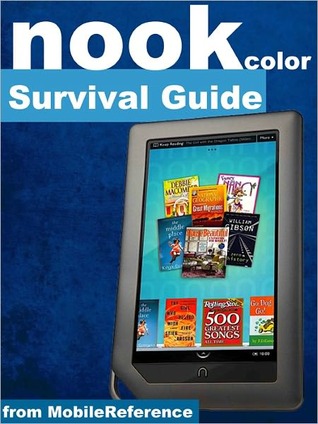
Nook Color Survival Guide: Step-by-Step User Guide for the Nook Color eReader
Est. 5h 24m
184 Pages
189 reading now
Prologue
AVAILABLE IN PAPERBACK!The Nook Color Survival Guide is a reference tool that helps you to discover the secrets of the Nook Color eReader. There are a lot of nuances to this device, and this book organizes the wealth of knowledge about the Nook Color into one place. The organization within this book is unlike any other, and it allows you to instantly find the information you seek. Looking for tips on changing the font size or highlighting passages? Navigate to the “Reading Books” chapter. Need more advanced tips, such as capturing screenshots or changing the wallpaper? Peruse the Tips, Tricks, and Customization chapter. You will also learn how to download FREE eBooks, send email from your Nook Color, play pre-installed games, and read news for FREE.Unlike the official Nook Color manual, the Survival Guide is not written like a book in paragraph form. Instead, every instruction is broken down into clear, concise steps. The Nook Color Survival Guide provides useful information not discussed in the Nook Color manual, such as tips and tricks, hidden features, and troubleshooting advice. Whereas the official Nook Color manual is stagnant, this guide goes above and beyond by discussing recent known issues and solutions that may be currently available. This information is constantly revised for a complete, up-to-date manual. Updated 11/14/2011NEW! Learn how to manage APPLICATIONS and EMAIL. This Nook Color Guide Getting - Registering the Nook Color- Connecting the Nook Color to a PC or Mac- Setting Up Wi-Fi- Using the Wishlist- Lending Books- Changing the font size- Using the dictionary- Taking notes- Reading children's books- Downloading thousands of free eBooks- Managing Applications- Managing Email- Transferring downloaded eBooks to the Nook Color- List of Nook-friendly websites that save you time typing in long URL addresses- Shortcuts and tipsAdvanced - Taking a screenshot- Conserving Battery Life- Switching between applications- Playing music- Viewing and editing photos- Playing Sudoku and chess- Buying eBooks through the Barnes and Noble Store- Subscribing to Magazines and Newspapers- Cancelling Subscriptions- Book browsing tips- Emailing from the Nook Color- How to use the Nook Color Web Browser- Adding bookmarks and notes- Viewing periodicals- Buying books- Troubleshooting- Live Nook Color support telephone numbers